You bought the booth. Here's the business.
Booth Operator OS is the complete system for running a photo booth company: what to charge, the contracts to send, the SOPs your attendants follow, the emails that turn inquiries into deposits, and the content that keeps your calendar full.
Nobody hands you the business side.
The booth comes with a setup guide. It doesn't come with a price list that actually covers your costs, a contract that protects you when a guest breaks something, or a way to answer an inquiry in five minutes while you're working someone else's event. So most operators end up here:
- Pricing by guesswork. Copying the competitor down the road, then realizing attendant time, setup hours and gear wear ate the profit.
- A contract borrowed from a Facebook group. No cancellation schedule, no damage clause, no 360 safety waiver, and no idea what a venue means by "send your COI."
- Inquiries going cold. The fastest reply usually wins the booking, and you're mid-event when the message comes in.
- Every event run from memory. A forgotten cable, an attendant who doesn't know what to say when the line backs up, a gallery that goes out a week late.
- Posting with no plan. You know short-form video books events. You don't have time to figure out what to film.
Eight modules. Everything written out in full.
No outlines and no "fill in your strategy here." Every contract, script, SOP and calculator is finished and ready to use the day you download it.
Launch Playbook
A project charter, a full work breakdown structure and a day-by-day 30-day launch plan. Includes a weighted matrix for which booth to buy first, an itemized gear guide for each booth type, insurance basics and a 20-item risk register.
Pricing & Profit Calculator
A spreadsheet that shows your true cost per event and the price that hits your target margin. A quote builder handles hours, travel and add-ons and works out the retainer and balance. The monthly forecast shows how fast your gear pays for itself.
Contracts & Policies
Eight documents with merge fields ready for e-sign: rental agreement, 360 safety rules and waiver, venue COI request, attendant agreement, planner referral agreement, refund policy, image and privacy policy, and an incident report.
Operations SOPs
Ten SOPs covering the full event lifecycle from booking through the week after. Includes setup and calibration for each booth type, lighting, an attendant guest-flow script, a 34-issue troubleshooting matrix, packing lists and gallery delivery.
Sales & Booking Automation
The full inquiry-to-deposit pipeline with every email and text written out. Also a call script with 14 objection handlers, good/better/best package menus, and step-by-step Zapier and Make.com recipes that run it for you.
Marketing & Content Engine
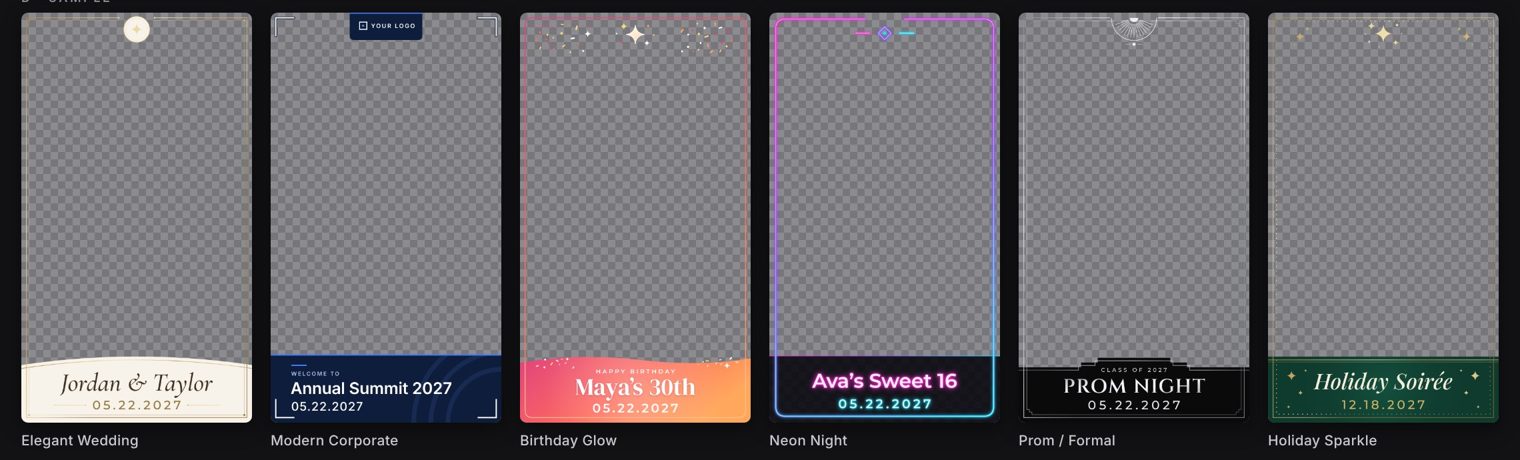
Forty short-form video scripts with hooks and shot lists, plus 60 caption hooks and a 30-day posting calendar. Also Google Business Profile templates, outreach sequences for planners, venues, HR teams and schools, and a seasonal campaign calendar.
Sets & Backdrops Build Guide
Build plans with cut lists for a split-for-transport arch wall, a hinged 8x8 panel wall, a 360 perimeter, and shimmer and flower walls. Covers stability and fire-rating rules, plus how to price backdrops as add-ons.
360 Video Post-Production
A DaVinci Resolve workflow for premium 360 deliverables: speed ramps, a node-by-node color look, safe zones for 9:16 overlays, render presets and a recipe for a 30-to-60-second highlight reel.
Price from your real costs, not the competitor's flyer.
Here's the calculator's default example: a 360 booth on a 2-hour package at $595. Once attendant time (including setup and teardown), gear wear, software and consumables are counted, the event costs $145 to run. That leaves about $432 after card fees.
Change any input and you'll see exactly where your margin goes. If your price is below your target margin, the calculator tells you how much to raise it.
| Per event | iPad | 360 | Mirror |
|---|---|---|---|
| Base package | $395 | $595 | $795 |
| True cost to run | $120 | $145 | $225 |
| Card fees | $12 | $18 | $23 |
| Profit | $263 | $432 | $547 |
| Profit per extra hour | $121 | $164 | $145 |
These are the calculator's default inputs for a mid-size US metro, not a promise of results. Your costs and prices will differ.
Made by someone who runs booths and builds sets.
Booth Operator OS was built by Adeboye, who works in photo and video studio production and runs event booths: 360 video, iPad selfie and magic mirror. Adeboye also builds studio sets and backdrops, and edits and color-grades in DaVinci Resolve.
The business side comes from an MBA and PMP project management training. That's why the kit reads like an operating manual: charters, work breakdowns, SOPs and numbers, not motivation.
- Starting out: you've bought a booth, or you're about to, and you want to launch with real prices, real contracts and a plan.
- Already booking: you're busy but underpriced, running on borrowed paperwork, and ready to systemize so attendants can run events without you.
- Not for you if you want a done-for-you lead service or a guaranteed income figure. This is a toolkit you put to work.
One booked event pays for the kit.
Pay once and download instantly. Upgrade later and pay only the difference.
Starter
The foundation: launch, protect and run your events.
- 01 Launch Playbook
- 03 Contracts & Policies (8 documents)
- 04 Operations SOPs (10 SOPs)
- PDF edition
Pro
Everything you need to price, book and market.
- Everything in Starter
- 02 Pricing & Profit Calculator
- 05 Sales & Booking Automation
- 06 Marketing & Content Engine
- 08 360 Video Post-Production
Complete
The full system, editable, with every future update.
- Everything in Pro
- 07 Sets & Backdrops Build Guide
- Editable Word contracts and full kit
- Free updates for life
guarantee
Read it, use it, decide. If the kit isn't useful to your business, email us within 14 days of purchase and we'll refund you in full. No forms and no hoops.
Questions operators ask
Is this for beginners or for operators who are already booking?
Both. Beginners follow the Launch Playbook and its 30-day plan. Operators who are already booking usually start with the calculator, the contracts and the sales automation, because that's where the money leaks.
Which booths does it cover?
360 video booths, iPad selfie booths and magic mirror booths. The SOPs, packing lists, pricing and package menus are written separately for each one.
Do I need specific booth software?
No. The kit works with whatever booth app you use. Where software matters, such as 360 calibration, sharing or overlays, it explains the settings in terms any mainstream booth app uses.
Can I use the contracts as they are?
They're complete and ready to load into an e-sign tool, with merge fields for your details. Laws vary by state, so have a local attorney review them once before you use them. It's a much cheaper review than having one drafted from scratch.
What format are the files?
A PDF edition for each tier, the calculator as an Excel file that also opens in Google Sheets, and, in Complete, editable Word versions. The template pack is a ZIP of PNG, SVG and .cube files.
Will the prices in the kit work in my city?
The kit uses mid-size US metro benchmarks as a starting point. The calculator rebuilds your prices from your own costs and margin, so the numbers fit your market.
Can I upgrade later?
Yes. Your download page has a one-click upgrade, and you pay only the difference between tiers.
Do I get updates?
Complete includes every future update. They appear on your download page automatically. Starter and Pro keep the edition they bought.
Is there a guarantee?
Yes, 14 days. If it isn't useful, email us and we'll refund you in full.
Run the business, not just the booth.
Get the pricing, paperwork, processes and pipeline in one download.